On the Lock Screen and in the Dynamic Island
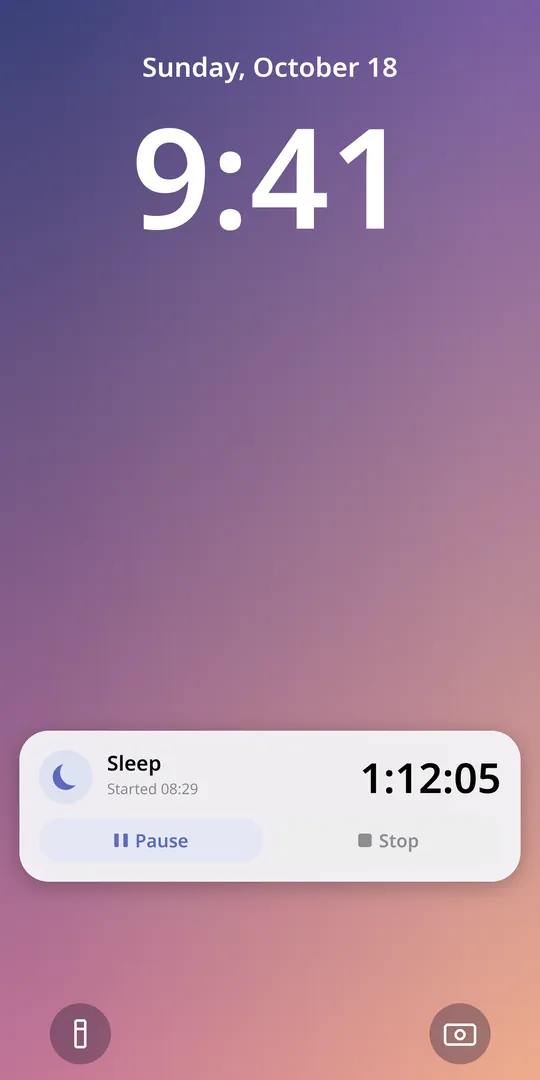
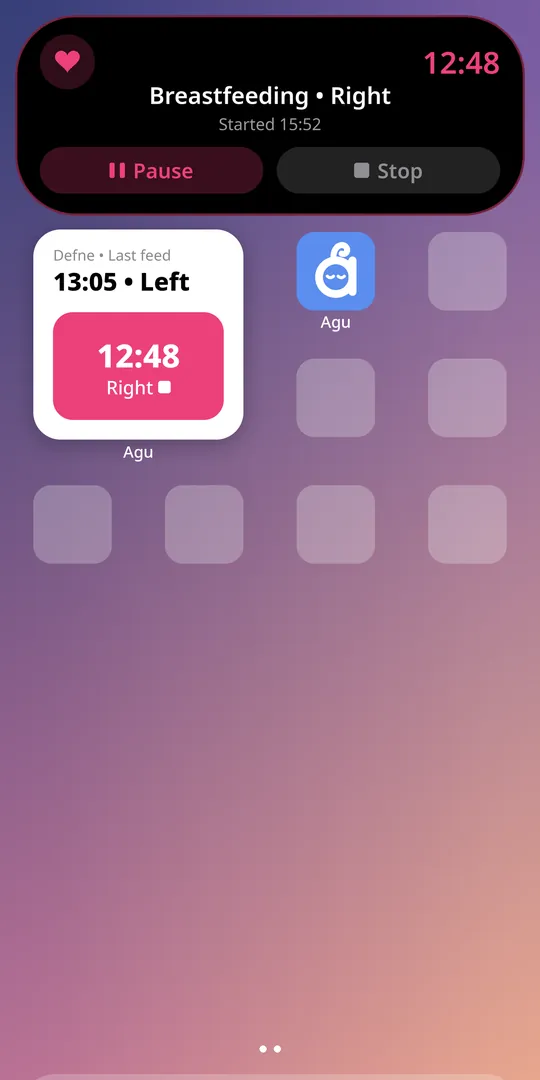
Feeding, sleep and pumping timers appear as a Live Activity on the Lock Screen and in the Dynamic Island. Pause, resume or stop them right there; the time stays correct even if you close the app.
Run feeding, sleep and pumping timers from the Lock Screen and the Dynamic Island without opening the app. No account, no ads; your records stay on your iPhone.
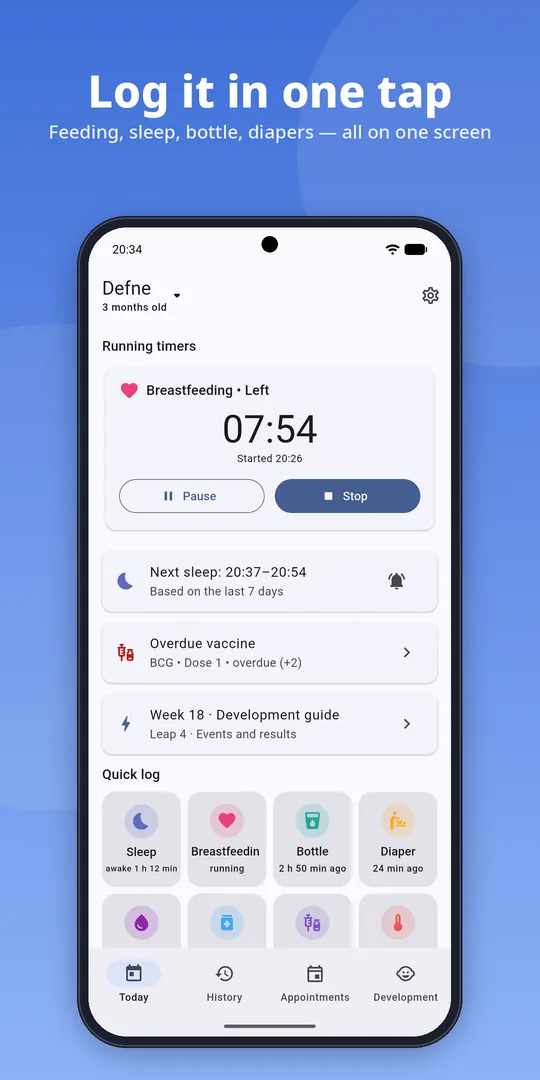
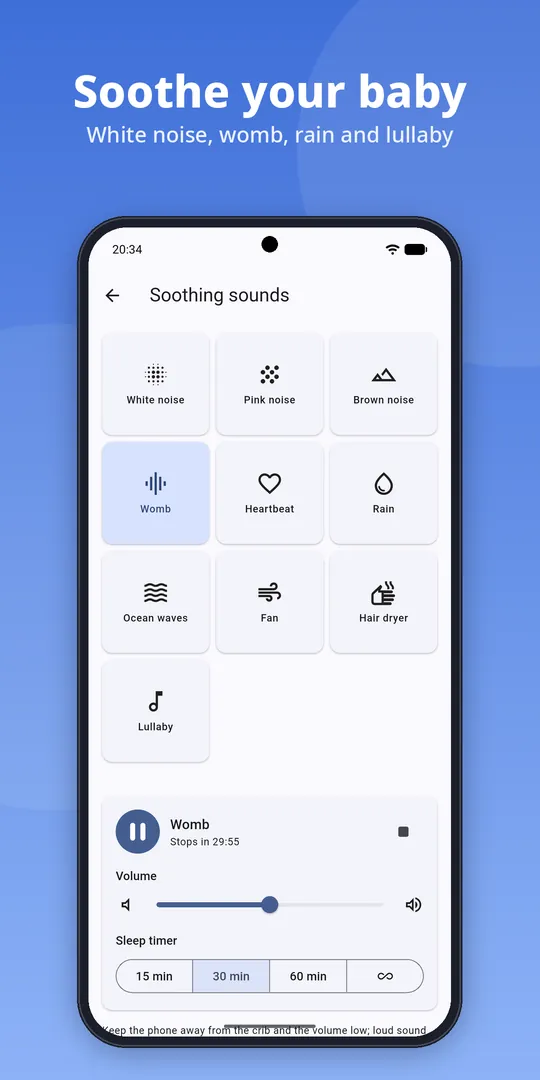
With a baby in your arms, even unlocking your phone is hard. Agu puts the things you do most on the Lock Screen and the Home Screen.
Feeding, sleep and pumping timers appear as a Live Activity on the Lock Screen and in the Dynamic Island. Pause, resume or stop them right there; the time stays correct even if you close the app.
The feeding widget shows the time and side of the last feed and highlights the next side; tap Left or Right to start the timer. Agu Plus adds widgets for sleep and pumping timers, one-tap diaper logging and a daily summary.
Say “Start breastfeeding in Agu”, “Stop sleep in Agu” or “Log a wet diaper in Agu”. On iOS 18 you can also start timers from Control Center and the Action button.
Agu's privacy label on the App Store is “Data Not Collected”. You don't need an account, and there are no ads, analytics or tracking tools in the app. Your records stay on your iPhone. If you turn on family sync (Agu Family), records sync between your family's phones with end-to-end encryption; nobody else, including AppForTech, can read them. See the Privacy Policy for details.
| Feature | Requires |
|---|---|
| Agu | iOS 15 or later; iPhone and iPad |
| Lock Screen and Dynamic Island timers, widgets, Siri | iOS 17 or later. The Dynamic Island on iPhone models that have it |
| Control Center and Action button | iOS 18 or later; Action button on models that have one |
| Languages | English, Turkish, German, Dutch |
Yes. Logging, timers, Live Activities, notifications, vaccine schedules and WHO percentiles are free. Agu Plus is a one-time purchase that unlocks the sleep window, 30-day statistics, the PDF doctor report, multiple babies and extra widgets.
On iOS 17 or later it appears as a Live Activity on the Lock Screen, where the Pause and Stop buttons work too. The Dynamic Island is only on models that have it.
Yes, Agu runs on iPhone and iPad.
Agu is on Android too. With Agu Family, records sync between your family's phones with end-to-end encryption, and the family invite link opens on both iPhone and Android. See Agu on Google Play.
In Settings you can save all your records and photos to a single backup file and restore it on your new phone. Backups are free.

No account, no ads, records stay on your phone.
Guides: Week by week development · Leaps · Teething order · Türkiye vaccine schedule · Blog
Meet Agu →